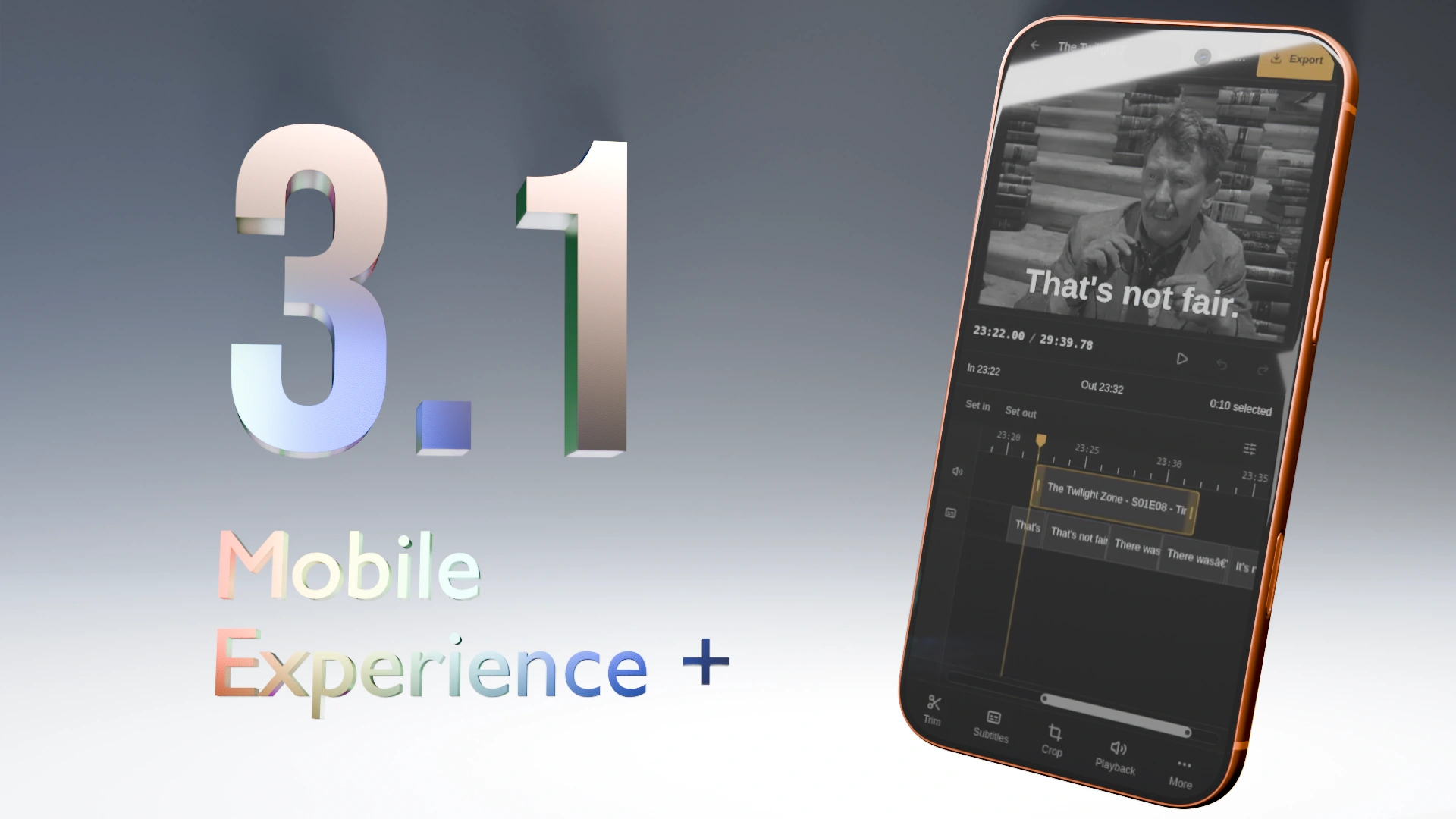
Cliparr 3.1 just released with an overhauled native-like mobile experience and a new cropping tool.

- Release Announcement: cliparr.dev
- GitHub Release: GitHub
What is Cliparr?
Cliparr is an open-source, self-hosted companion tool that integrates directly with your Jellyfin and Plex media servers to make extracting video clips from what you are currently watching seamless.
Cliparr performs 100% of its media tasks, including transcoding, directly in the browser and works on all devices.
What is it for?
Creating clips from your media library: memes for forums, short clips/GIFs for social media, or clean video segments for personal archives and sharing.
What does it need to run?
Almost nothing. Any modern smartphone, tablet, or desktop can run Cliparr. Host it locally alongside your media server and install the PWA directly to your device. It requires no external internet connection and can edit local media completely offline.
AI Disclosure
In accordance with community rules, here is the breakdown of AI involvement in this release:
- Implementation - Assisted
- Testing - Assisted (CI integration, browser automation tests, and extensive manual testing across multiple physical devices were written/executed with AI assistance)
- Documentation - Hint (Release notes and documentation primarily human-authored with minor AI assistance)
The *arr naming trend for apps that have nothing to do with the original suite cannot die soon enough.
What is the original *arr stack? Do they have copyright? I only use plain torrent client
They don’t, but *arr comes from the “arr, pirate!”
This is a clipping service that integrates with nothing *arr related, just jellyfin/Plex. There’s nothing about grabbing series, movies, books, etc.
It’s not related to piracy whatsoever, it looks as if they are using *arr to look cool. It’s weird.
To answer your comment, the original *arr stack is whatever there’s here https://wiki.servarr.com/. Everything has a very similar UI/UX too. This lacks bazarr which downloads subtitles for movies and integrates with radarr and sonarr and everyone tends to include it, but you get the idea.
Yeah it’s really weird outside the piracy space. I don’t understand why anyone would intentionally make that decision anyway because it immediately gets associated with piracy.
Let’s be real. It’s going to be sitting right next to your piracy stack. Just as Plex and Jellyfin are. Plus, the name already fit. It’s a clipper. If I say “Cliparr” you can IMMEDIATELY understand what the app is, or at least have a significantly better idea.
Can it use the native subtitles yet without requiring us to manual add our own?
That was always the case! I only added custom subtitles somewhat recently. Either way, yes.
Interesting, I could not figure out how to make it use the native subtitles.
Just make sure you can see subtitles in Jellyfin or Plex first. In Plex for example, I often need to use Plex’s subtitle search first and enable subtitles on the stream.
I see them in jellyfin, they just didn’t show up in cliparr. They may be the subtitles built into the MKV file though, it that matters.
That’s good to know, appreciate that. It SHOULD still be working. It has the ability to read the subtitle tracks off any supported media. I will say, I am not as thorough in my manual testing of Jellyfin as I am for Plex.
Any chance I could bother you to open a GitHub issue? Or just give me some details here? I will definitely get this fixed and make sure there is a test case for whatever this specific scenario is.
Here’s what would be super helpful for me:
-
In Jellyfin, open the “Media Info” and scroll down to the Subtitle section. What codec and language is it showing? You can paste the full info if you want. There may be more than one track.
-
In Cliparr, while those subtitles are visible and playing in Jellyfin, look in the right-side Subtitles sidebar. See where it says “+ Add subtitle”? To the right of that is a (…) menu. Click that (…), what does it say in there?
I assume for you, it might say “Start Blank”, which would mean it did not recognize any subtitle tracks, either from the file, or as a “sidecar” stream.
I’m going to get a PR open to add more logging around subtitles specifically. I checked and unfortunately I do not have the log in place that would be the most helpful here. But please do tell me if you see any browser console logs. If you do open an issue, I’ll send you 3.1.1-rc soon.
Be careful to check any logs for private info before sharing. Anything you might not want to share, like maybe user folder names, etc.
-