

13·
3 months agoNixOS synergises very well with terminal command aliases, you should check what commands you frequently use and put those into the config as well.
NixOS synergises very well with terminal command aliases, you should check what commands you frequently use and put those into the config as well.
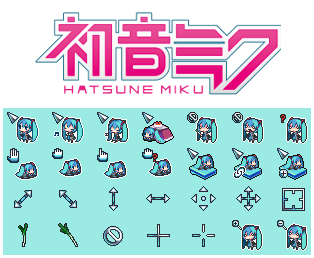
https://github.com/supermariofps/hatsune-miku-linux-cursors/
When my laptop is in presentation mode, I use this instead:

I’d love to implement my own cursor so I have things like cursor trail, but it’s a lot harder than I thought. Something about hardware cursor.
journalctl -o short-precise -k -b -1 shows you kernel messages from last boot, this should be a good start.
Games, though it’s more of a game company issue. I like Apex Legends.
Microsoft Office stuff. Every now and then I need to make a presentation, and LibreOffice Impress to Microsoft PowerPoint isn’t that good. I resort to Google Slides for now.
Cursor trails. I tried making it myself until I stumbled on the concept of hardware cursor. I still want to do it, but man, putting an image where your pointer is at is harder than I thought. So much more if you’re on Wayland apparently.
(Lack of) general ecosystem fragmentation. I still don’t understand why I can’t paste image that is clearly present in both xclip and wl-paste over Remmina. It does work if I open LibreOffice Draw, paste it there, then copy it back, and paste it in Remmina. Emacs on Xorg is blurry and requires xwayland-satellite but smooth, and Emacs GTK is sharp but stuttery.

reproducible
You tried writing bash scripts that set things up for you, haven’t you? It’s NixOS for you.
Other than keeping an eye on their changelog or waiting until it breaks, I don’t think you can do anything about that. I do have automatic update, but the config rarely changes from my experience.
He could, but he documents a lot of stuff including artifacts, so it just makes more sense to do all on a single machine. Also plays LoL.
He’s a Windows security researcher. I felt dumb.
deleted by creator
It works with containers so I can create a setup where requests sent from the container goes through the VPN. I use it for my Redlib setup to bypass rate limiting by rotating its IP regularly. Unless you have your host to route all traffic through a certain node, it should work independently from Tailscale.
I don’t think I’ve seen a single distro that ships Korean support right off the bat, except HarmoniKR. Because of the way Korean works, it’s not just the keyboard layout support you need. To list the things you need to do:
fcitx-hangul. Without it, Hangul keyboard will not appear in Fcitx.
I will attach my files in ~/.config/fcitx5. These two should go under that directory, and not ~/.config/fcitx.
~/.config/fcitx5/config [Hotkey]
# Trigger Input Method
TriggerKeys=
# Enumerate when press trigger key repeatedly
EnumerateWithTriggerKeys=True
# Temporally switch between first and current Input Method
AltTriggerKeys=
# Enumerate Input Method Backward
EnumerateBackwardKeys=
# Skip first input method while enumerating
EnumerateSkipFirst=False
# Enumerate Input Method Group Backward
EnumerateGroupBackwardKeys=
# Time limit in milliseconds for triggering modifier key shortcuts
ModifierOnlyKeyTimeout=250
[Hotkey/EnumerateForwardKeys]
0=Hangul
[Hotkey/EnumerateGroupForwardKeys]
0=Control+Alt+Hangul
[Hotkey/ActivateKeys]
0=Hangul_Hanja
[Hotkey/DeactivateKeys]
0=Hangul_Romaja
[Hotkey/PrevPage]
0=Up
[Hotkey/NextPage]
0=Down
[Hotkey/PrevCandidate]
0=Shift+Tab
[Hotkey/NextCandidate]
0=Tab
[Hotkey/TogglePreedit]
0=Control+Alt+P
[Behavior]
# Active By Default
ActiveByDefault=False
# Reset state on Focus In
resetStateWhenFocusIn=No
# Share Input State
ShareInputState=No
# Show preedit in application
PreeditEnabledByDefault=True
# Show Input Method Information when switch input method
ShowInputMethodInformation=True
# Show Input Method Information when changing focus
showInputMethodInformationWhenFocusIn=True
# Show compact input method information
CompactInputMethodInformation=True
# Show first input method information
ShowFirstInputMethodInformation=True
# Default page size
DefaultPageSize=5
# Override Xkb Option
OverrideXkbOption=False
# Custom Xkb Option
CustomXkbOption=
# Force Enabled Addons
EnabledAddons=
# Force Disabled Addons
DisabledAddons=
# Preload input method to be used by default
PreloadInputMethod=True
# Allow input method in the password field
AllowInputMethodForPassword=False
# Show preedit text when typing password
ShowPreeditForPassword=False
# Interval of saving user data in minutes
AutoSavePeriod=30
~/.config/fcitx5/profile It contains Japanese group, you can safely delete that. I just don’t know what it looks like if I delete it.
[Groups/0]
# Group Name
Name=日本語
# Layout
Default Layout=us
# Default Input Method
DefaultIM=mozc

[Groups/0/Items/0]
# Name
Name=keyboard-us
# Layout
Layout=

[Groups/0/Items/1]
# Name
Name=mozc
# Layout
Layout=

[Groups/1]
# Group Name
Name=한국어
# Layout
Default Layout=us
# Default Input Method
DefaultIM=hangul

[Groups/1/Items/0]
# Name
Name=keyboard-us
# Layout
Layout=

[Groups/1/Items/1]
# Name
Name=hangul
# Layout
Layout=

[GroupOrder]
0=한국어
1=日本語
Anubis, though I always had it before I removed Cloudflare.
CLOUDFLARE IS NO MORE FOR MY NETWORK
Soon I’ll drop Cloudflare for my public services too
If you’re seeing squares instead of characters, it sounds more like you lack the proper fonts. Installing something along the lines of noto-fonts-cjk should resolve that.
My personal choice between ibus and Fcitx5 would be Fcitx5. Ibus feels more integrated with GNOME environment, whereas Fcitx5 feels less so. Fcitx5 also has more features too, such as having a keybind that changes your language profile. This is what I do so that AltGr switches between English and Japanese, or English and Korean. Either way, both should achieve the same basic goal.
Don’t forget to set a bunch of environment variables too.
Definitely more than a year! If you have tried it in the past, you probably dropped it either because you used it before the revival, or the UI looked really old. At least that was what I did.
It works pretty well despit having 30k+ music files read over rclone, though I am the only user. It also has a web client, though it looks a bit old. I use Symfonium on Android and Feishin on Desktop since it provides OpenSubsonic API.
One major reason why I have Ampache as a separate server is that they support smart playlist, which wasn’t well supported on Jellyfin. Navidrome also supports smart playlist, but you couldn’t edit on the web.
Closest to original:
https://moegirl.uk/File:What's_up_Pop!曲绘.jpg
Closest to OP’s pic:
https://osu.ppy.sh/beatmapsets/1938004#osu/4071504
Look for “What’s up? Pop!”.


Now that you mentioned Ctrl+R, also check out program named atuin. It makes the command search a bit more friendly, and you can also optionally sync command history. It has NixOS options, of course.