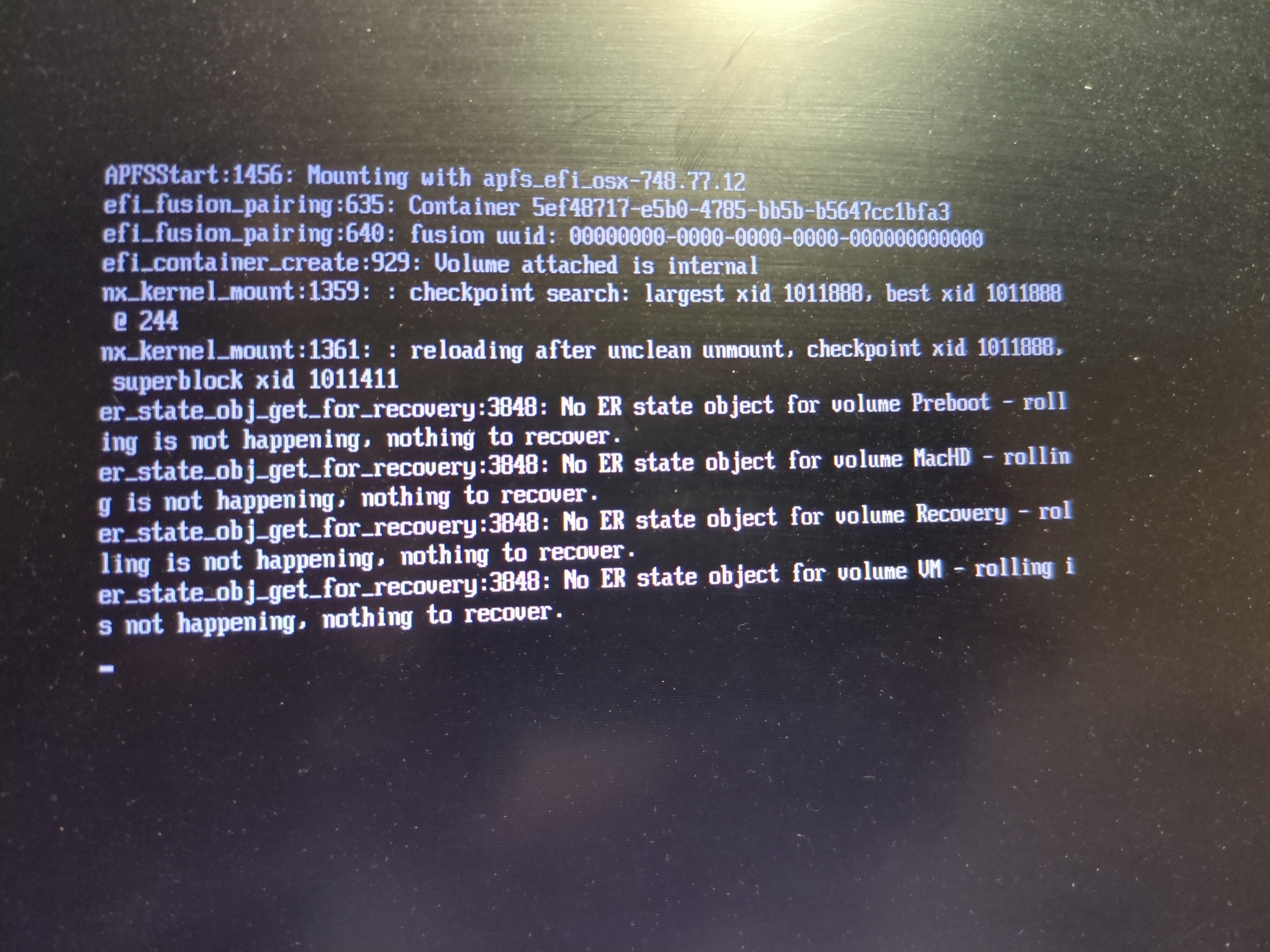
I’ve been trying to install elementary on my mid 2010 17" mbp. I’ve created a few different flash drives using both Etcher and DD. I’ve even verified the ISO hash. No matter what media I use I wind up here after selecting the bootable usb. Google has not been helpful in figuring this out. Anyone else seen this?
The most recent release often gave me problems. Get the next one back until they clean some things up. Also I have been using Impression to write my flash drives. Give it a try.
maybe try another distro or rescue live image to make sure it’s not about missing specific drivers in that particular installation iso?
Try SMC / PRAM Reset?
With references to APFS and fusion, it seems like it might be trying to mount a visible filesystem.
If the intention is OS install, try erasing the disk from recovery mode and formatting as something ‘boring’ like ExFAT
No expert but an uuid with a bunch of zeros seems really odd to me - and if I’m guessing correctly, boot is failing to mount your partitions as if the filesystems were corrupt, but I’m just leaving this as bait as someone with more knowledge about that stuff corrects me. In the meanwhile I’d check things to really be sure the hdd drive is ok (via fsck, parted and co)
I was under the assumption that OP didn’t even boot into the installer yet. I don’t think the HDD is the issue here. I don’t think the HDD or the filesystem it contains would matter anyway. This has just been my experience installing Linux on an x86 Mac. You have to try a few things to get it to work. I recall Peppermint OS (Back when it was Ubuntu based) failing to install everytime but Zorin OS Lite working just fine.
I recall trying to install Linux on a 2007 Macbook and several distros not working. I guess try a different distro. I don’t know why some work and some don’t but I’m just gonna blame Apple. Try Fedora or endeavourOS. I even found this script to install Elementary’s Pantheon DE on Arch Linux.
Edit: Also Debian might be worth a try.